Below you’ll find a complete step-by-step guide on how to properly sync your app (ASICS Runkeeper™) with the RUN as ONE – GLOBAL Virtual Run Series 2025/2026 challenge. By doing this, your result will be included in the official ranking and you’ll have a chance to enter the Tokyo Marathon 2027 drawing.
App Synchronization Steps
1. Go to the TMF Virtual Run website
• Open the website tmf-virtualrun.jp.
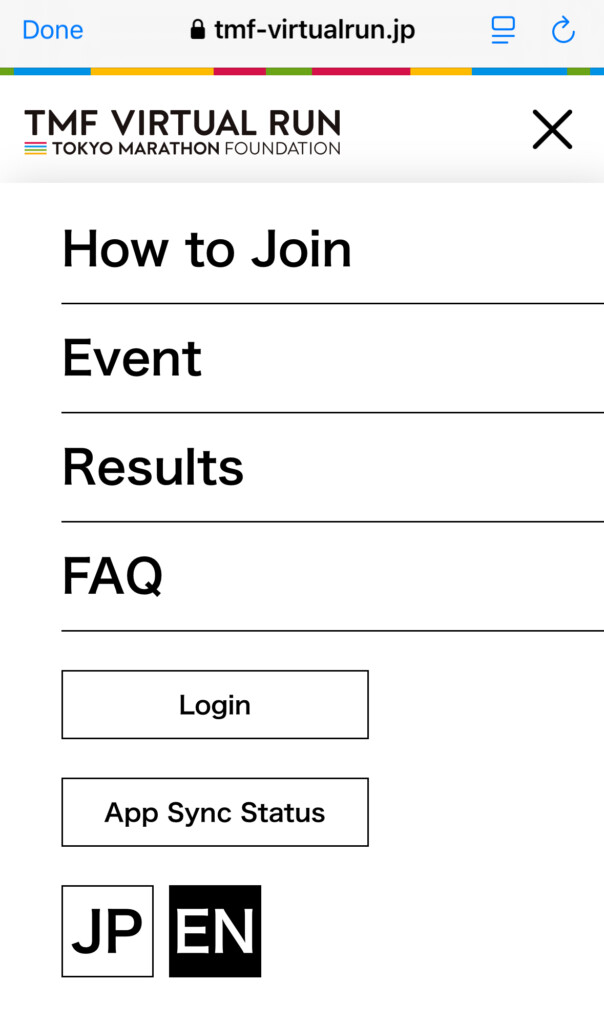
• Click the menu icon (three horizontal lines in the top right corner).
2. Select “App Sync Status”
• In the menu, select the “App Sync Status” button.
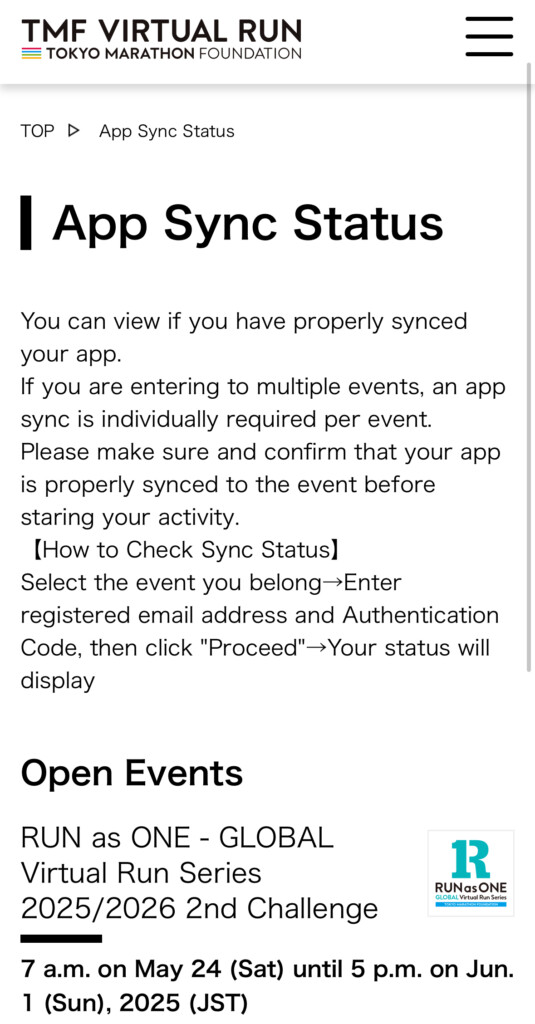
3. Choose your event
• From the list of events, select “RUN as ONE – GLOBAL Virtual Run Series 2025/2026 2nd Challenge”.
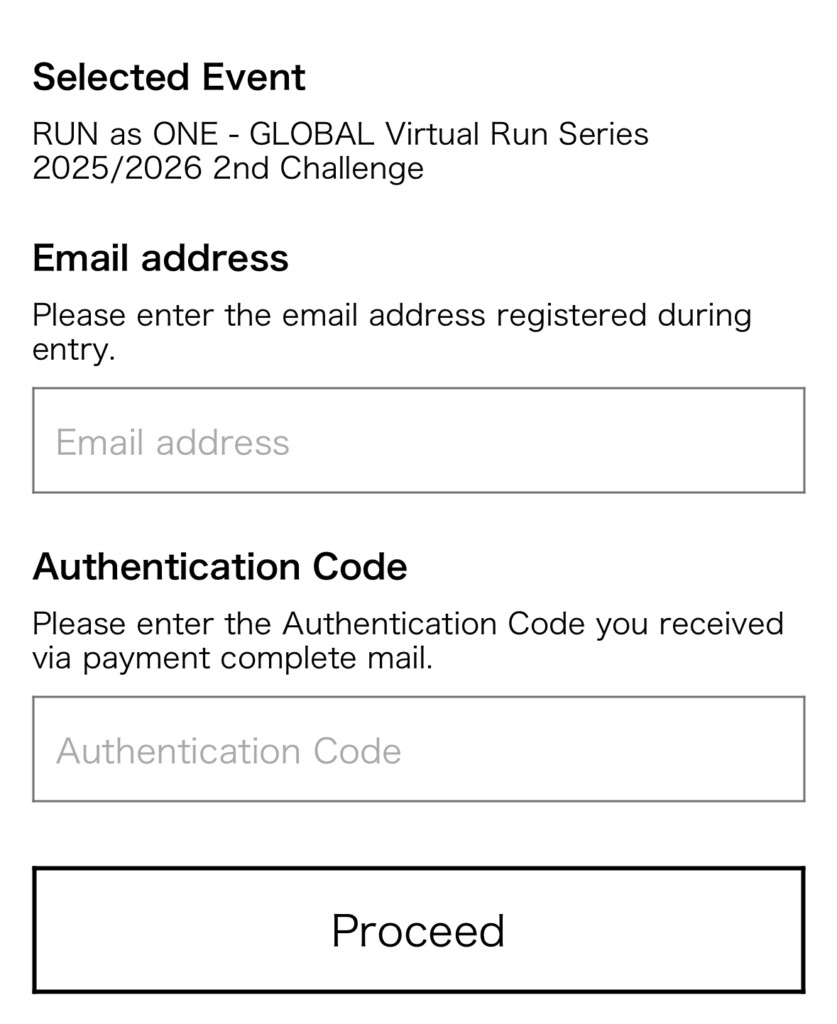
4. Enter your details
• Enter the email address you used for registration.
• Enter the authentication code from your payment confirmation email.
• Click “Proceed”.
5. Start the synchronization process
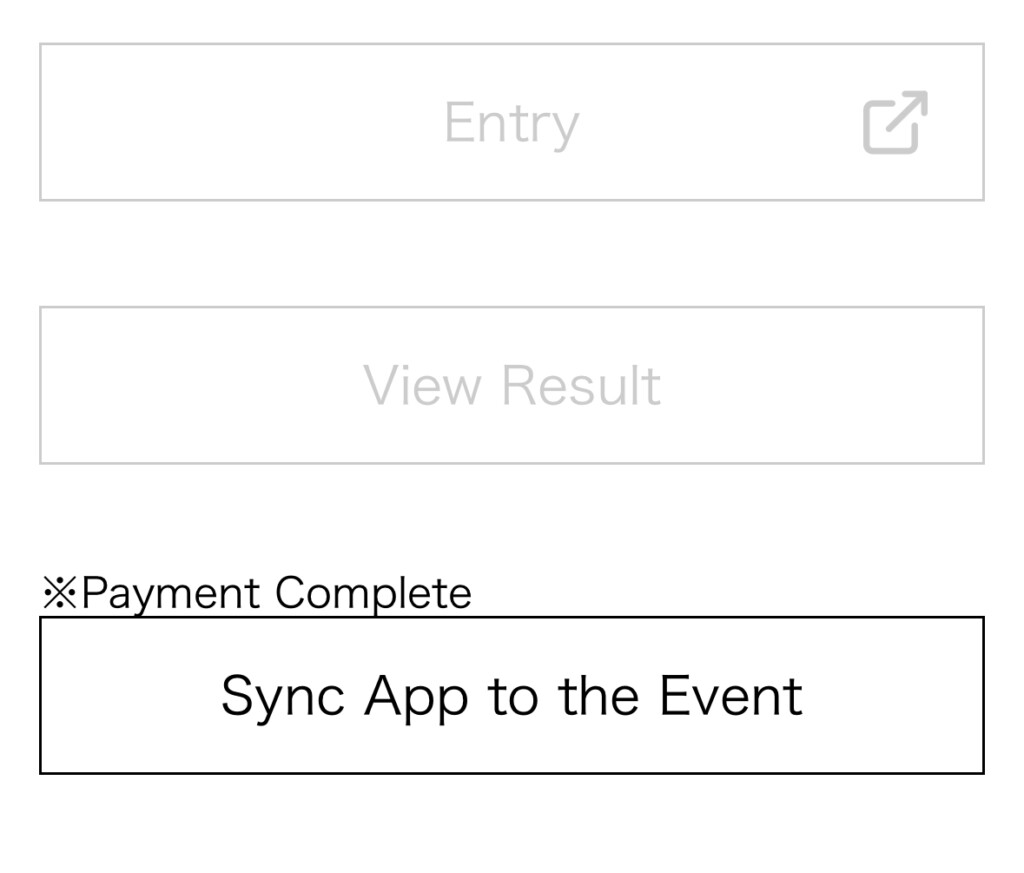
• If your status is “Not synced,” click “Sync App to the Event” or “Sync App”.
6. Log in to ASICS Runkeeper™
• If you have a OneASICS™ account, make sure to log out before syncing to avoid connecting the wrong account (the system may automatically sync your OneASICS™ account even if you don’t want it to).
• Log in to the ASICS Runkeeper™ account you plan to use during the run.
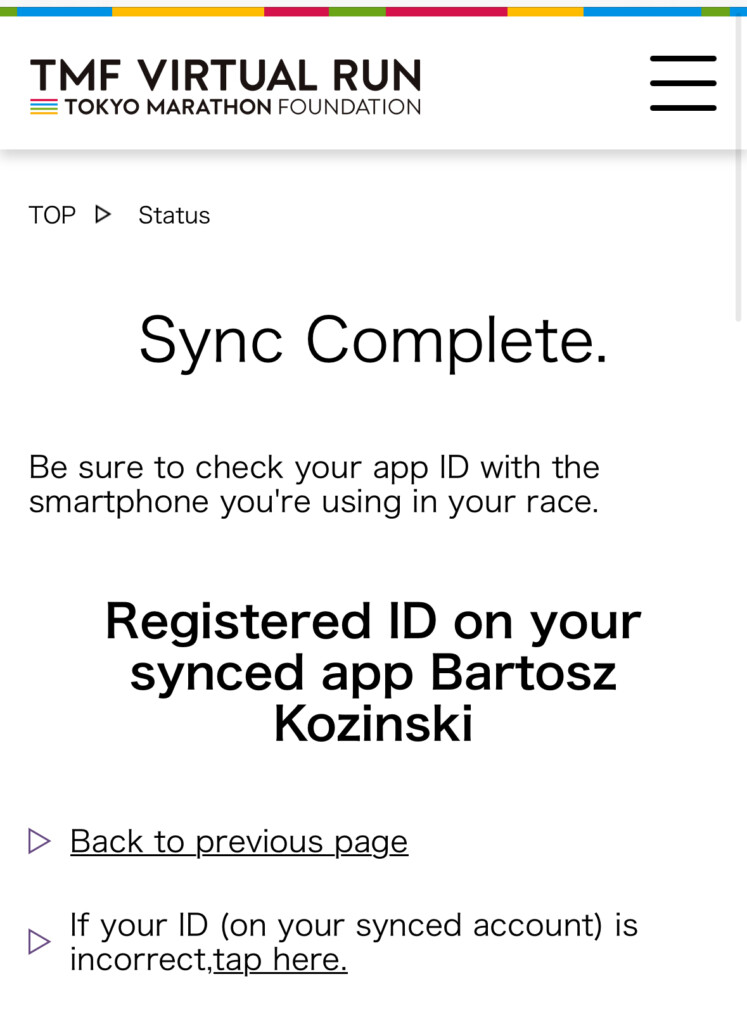
7. Synchronization confirmation
• After successful synchronization, you’ll see the message “Sync Complete” along with your app ID or username—make sure it’s the correct account.
8. Check your sync status
• You can return to “App Sync Status” at any time, enter your email and code, and confirm that everything is properly connected.
Illustrated Guide
You’ll find example screenshots showing the entire process—from selecting the event, logging in, to the “Sync Complete” confirmation.
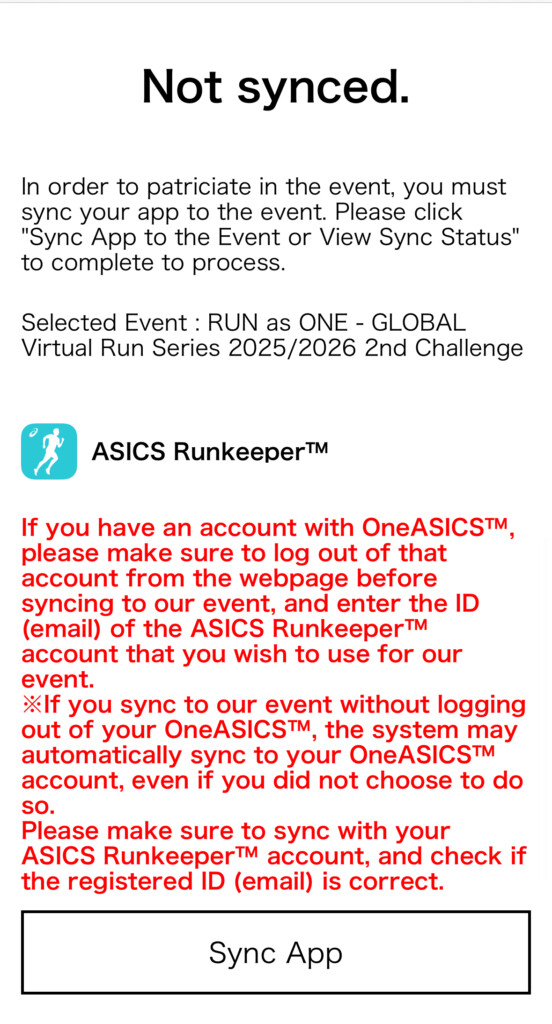
1. Open the menu (three lines) on the TMF Virtual Run website.

2. Select “App Sync Status”.
3. Choose your event.
4. Enter your email and code, click “Proceed”.
5. Click “Sync App” and log in to ASICS Runkeeper™.
 6. Check for the “Sync Complete” message.
IMPORTANT NOTES
• Make sure to complete the synchronization before starting your run—otherwise, your result will not be included in the ranking and you won’t be eligible for the prize drawing.
• If you are participating in multiple challenges, you must sync your app separately for each event.
Good luck and have a great run!
Guide to the World Marathon Majors
To help plan your journey, grab a copy of my detailed guide “Your Journey Through the World’s Greatest Marathons – World Marathon Majors 2025” – packed with route profiles, travel tips, entry rules, and more.